AI calorie tracker + workout log · iPhone
Snap it.Log it.Lock in.
Snap a photo of your meal and Lock's AI breaks it into calories, protein, carbs and fat in seconds. Every meal fills the ring. Hit your goal and it locks.
- Overnight oats+420
- Chicken rice bowl+650
- Salmon poke+580
- Greek yogurt+250
How it works
Snap it. Logged.
- Analyzing…01
Snap
Photo, nutrition label or barcode. No photo? Search it instead.
Chicken rice bowl
650 kcal
Protein38gCarbs82gFat17g02AI reads it
Calories, protein, carbs and fat, estimated in seconds. Edit anything.
- Chicken rice bowl650Logged03
Logged
It lands in your day and moves the ring. Drinks can count toward water too.
Features
Everything your day needs. Nothing it doesn’t.
Your day. One dial.
Calories left, macros, water and steps on one screen. Your calorie goal comes from your body and the pace you pick, and your step goal can follow your own average.
Packaged? Scan it.
Scan the barcode or the nutrition label for exact numbers. Barcode and manual logging are never limited.
No photo? Search it.
Forgot to snap it? Pick from what you’ve eaten lately, search the food list, or describe it in a sentence. Then log it to the right meal. Forgot a whole day? Open it in the calendar to log up to 30 days back, and an album photo keeps the time it was taken.
Water, your way.
Your buddy floats in the bottle as it fills. Spin the drink wheel: tea, coffee, milk and juice each count for how much they really hydrate, and lattes, milk, juice, sports drinks and soda add their calories too. Steps and active energy sync from Apple Health.

Train
Train with a plan.
Plan your week, or let AI plan it. Lock takes you through every set, keeps your records, and adds weight when you’re ready.
Your week, planned.
Pick your training days and exercises from 62 built in, or answer three questions (which days, where you train, how experienced you are) and AI lays out the week. Turn on auto increase and it adds a plate each time (2.5 kg on a barbell).
Legs + Core
Start workoutEvery set, guided.
Last time’s numbers sit next to each set. Tick it off and the rest timer starts. Close the app mid-workout and nothing is lost.
Done, with receipts.
Volume, sets, about how much you burned and your new records. Then the plan moves up on its own.
Next time the plan uses 102.5 kg
Diet × training.
On training days your calorie goal goes up with the workout and protein gets +20 g. The AI review reads your meals and your workouts together.
115 / 160 g
You hit protein on 2 of 4 training days. A shake after Thursday’s session closes the gap.
Weight, as a curve.
Log your weight on the Train tab and watch 30 or 90 days. Switch kg and lb right there.
76.6 kg · 30 days −1.8 kg
Apple Watch
Log sets from your wrist.
Start a workout on your iPhone and Lock opens on your Apple Watch. Your phone can stay in your bag.
Lock on Apple Watch
Turn the Digital Crown to set weight or reps, tap to complete the set, and feel the tap when rest is up. Heart rate on screen, and the workout saves to Apple Health. Away from your phone? It syncs when you’re back.
Lock Screen & Dynamic Island
Your current set, weight and reps, with Complete set right on the Lock Screen. Rest counts down there too: add 15 seconds or skip without unlocking.
Needs iOS 18 and watchOS 10 or later.
Buddy
Raise a buddy.
Your bichon coach helps you raise a little buddy, now in 3D. Workouts, steps and logged meals make it grow. Rest days never cost progress.
 Leg day done! Yuanyuan grew +30.Drag to look around · tap them to hop
Today’s growth
- Workout+30
- 10,000 steps+15
- Log 3 meals+10
- Protein goal+10
- Friend pats+4
Baby, teen, adult.
Grow it up, then it graduates to your collection and you raise the next one.
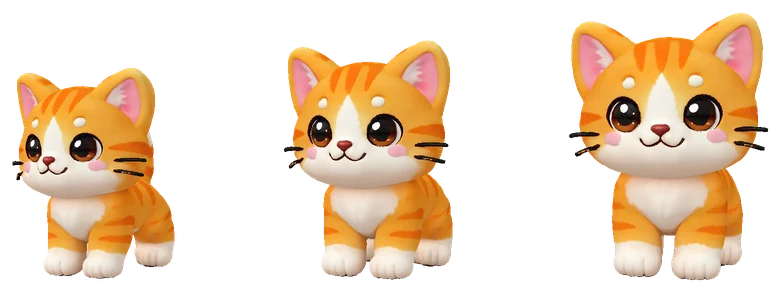
Corgi, cat or penguin. You pick the names.
Couple space
Lock in, together.
Link up with your partner. See each other’s day, nudge each other, count your days together, and pool your growth points to furnish a plush little home where Doudou lives.
Nudge each other
One tap sends a push: drink water, time to eat, go train, or just a heart.
Your days, on the wall

Save up for your home
Both of your daily growth points go into one wallet. Spend them on a new sofa, rug, wallpaper, floor, lamp, plant, table or dog bed for your plush room.
Only friends can be invited, and they have to accept. Either of you can unlink anytime.
Pricing
Free to start. Pro when you’re ready.
$0
No card needed.
- Your first week is Pro, free · then 3 AI scans / day
- 1 AI diet review / week
- Unlimited barcode & manual logging
- Workouts, weight curve, data export, couple space
- Unlimited friends · invite one, you both get +5 scans
$39.99/yr
$39.99 a year, or $9.99 a month. US prices; the App Store shows yours. Cancel anytime.
- Everything in Free
- Unlimited AI scans (Free: 3 / day)
- Unlimited AI diet × training reviews (Free: 1 / week)
- Redo your AI workout plan anytime
FAQ
Things people ask.
Quick answers about scans, pricing, workouts and your data.
Write to us and we’ll get back to you within 24 hours.
support@jkeroro.comMore answers on the Support pageLock’s AI estimates calories, protein, carbs and fat from your photo. Like any estimate it can be off, so every entry is editable. For packaged food, scan the barcode or nutrition label for exact numbers.
Yes. Your first week is Pro, free, with no card needed. After that, the free plan includes 3 AI scans a day, one AI diet review a week, and unlimited barcode and manual logging. Workout plans and logging are free too. Invite a friend and you both get 5 bonus scans.
$39.99 a year or $9.99 a month (US prices). Every new account gets Pro free for its first week, so you can try everything before paying. You can cancel anytime in your Apple ID settings.
Yes. Plan your week on the Train tab, follow each workout set by set with a rest timer, and Lock keeps your records and raises the weight when you’ve earned it. Training days also raise your protein goal by 20 g.
Yes. Tap Search on the camera page: pick something you’ve eaten lately, search the food list, or describe the meal in a sentence (that uses one AI scan). Log it to any meal this week, or open a day in the calendar to log up to 30 days back. A photo from your album keeps the time it was taken.
No. Friends see your name, status, streak, today’s calorie total and your buddy on the leaderboard. Your meals and photos stay private.
Invite a friend as your partner (they have to accept). You both see each other’s calories, water, steps and workout for today, send nudges, keep anniversaries, and pool your growth points to furnish a shared room. Either of you can unlink anytime.
Yes. Start a workout on your iPhone and Lock opens on your watch: log sets with the Digital Crown, see your heart rate and rest timer, and the workout saves to Apple Health. The Lock Screen and Dynamic Island show your set and rest too.
Yes. Connect Apple Health and your steps and active energy sync automatically.
Yes. On the outer display the tabs move to a rail on the side. Open it and Today, Train, Buddy and the camera spread across both halves; stand it up halfway and the workout fills the top with big controls below.
Calorie goals use the Mifflin–St Jeor equation; protein, water, steps and exercise numbers come from published guidelines and studies. Lock gives general guidance, not medical advice. See all sources
English, 简体中文, 繁體中文, 日本語 and 한국어.
Yes. Settings → Account & Security → Delete Account permanently deletes your account, meals, photos and workouts. Deleting doesn’t cancel an App Store subscription; cancel that in your Apple ID settings.
Ready to lock in?
Free on iPhone. Search “Kero Lock” on the App Store. Your first week is Pro.
Download on the App Store
Social
Lock in together.
Add as many friends as you like by Friend ID, keep a check-in streak and climb the friends leaderboard. Pat a friend’s buddy to cheer them on.
Invite a friend: you both get 5 bonus AI scans.
Friends leaderboard